PROJECT SUMMARY
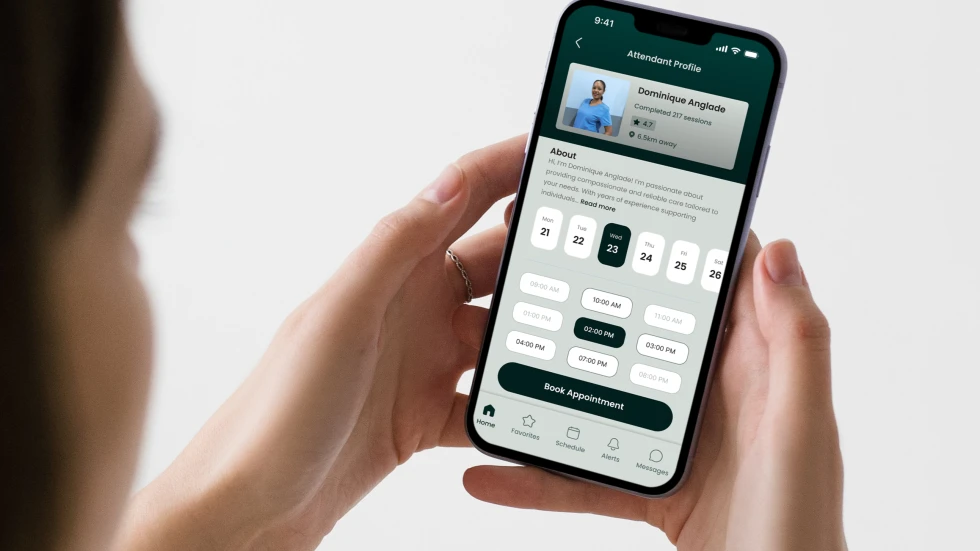
Whimble connects people with disabilities to on-demand caregivers. Not just for convenience, but often, for survival. The current state of their service was running through a mix of phone calls, texts, and Slack messages, and they knew it had to be better. So they built a mid fidelity prototype in Balsamiq, a tool they taught themselves... and brought us in to find out if their concept would actually work as an app. I was a UX Researcher on the team, responsible for: heuristic review, task development, two rounds of moderated testing, and synthesis. This is the story of what we found, and what changed because of it.
Client:
Whimble
Timeline:
7 weeks · 2023
My Role:
UX Researcher
SCALE OF THE PROJECT
27
Moderated sessions across two rounds
15
Core tasks designed and tested per group
2
User groups: Clients with disabilities & Caregivers
7
Weeks from prototype review to final report
METHODOLOGY
01. Prototype Review
We conducted a thorough expert review of Whimble’s initial wireframes (built on balsamiq) to understand the app’s features, services, and overall vision.
This evaluation, based on Nielsen Norman Group’s 10 heuristic principles, helped identify usability gaps and refine the prototype before testing.
02. Task Development
*I led this*
A task development workshop was held to design realistic testing scenarios reflecting actual app usage for both clients and caregivers.
This process involved collaborating with subject matter experts to define high-priority tasks tailored to the app’s core user groups.
03. Participant Recruitment
We developed inclusive outreach materials and recruited participants from two distinct user groups for usability testing:
Demand Side: People with disabilities, including physical, vision, hearing, and speech-language impairments
Supply Side: Caregivers and attendants providing services to the demand side
04. Preparing Test Guides & Ensuring Accessibility
*I led this*
We developed separate test guides for each user group. The guides were designed to accommodate tools like screen readers and text-to-voice technology.
Additionally, we reached out to participants with disabilities to identify and address any specific needs to help facilitate sessions.
05. Baseline Usability Testing
*I led this*
16 remote 1:1 sessions - 11 demand clients, 5 supply caregivers,
Assessed the app’s current strengths and weaknesses, understand user needs, and set a benchmark for usability
Synthesized what we heard into a prioritized findings & recommendations report.
06. Validation Usability Testing
*I led this*
11 remote 1:1 sessions - 6 demand clients, 5 supply caregivers,
Based on our recommendations from round 1, the client updated the prototype.
We tested this updated prototype to compare its performance with the original version.
KEY FINDINGS
Registration felt like an obstacle course
The sign-up flow had too much text presented all at once, progress indicators that changed style partway through, and pages that asked for overlapping information. For participants with cognitive or visual challenges, this wasn't just inconvenient, it was exhausting.
Small font sizes and touch targets
Participants struggled to read text and hit the right targets, especially on mobile. For a product built specifically for people with disabilities, this wasn't an edge case... It was the primary audience.
Icons not pulling their weight
The 'star' icon was meant to mean "Feedback." Most participants had no idea. The chat bubble left participants guessing whether it would reach Whimble or their caregiver.
Confusing UX copy language
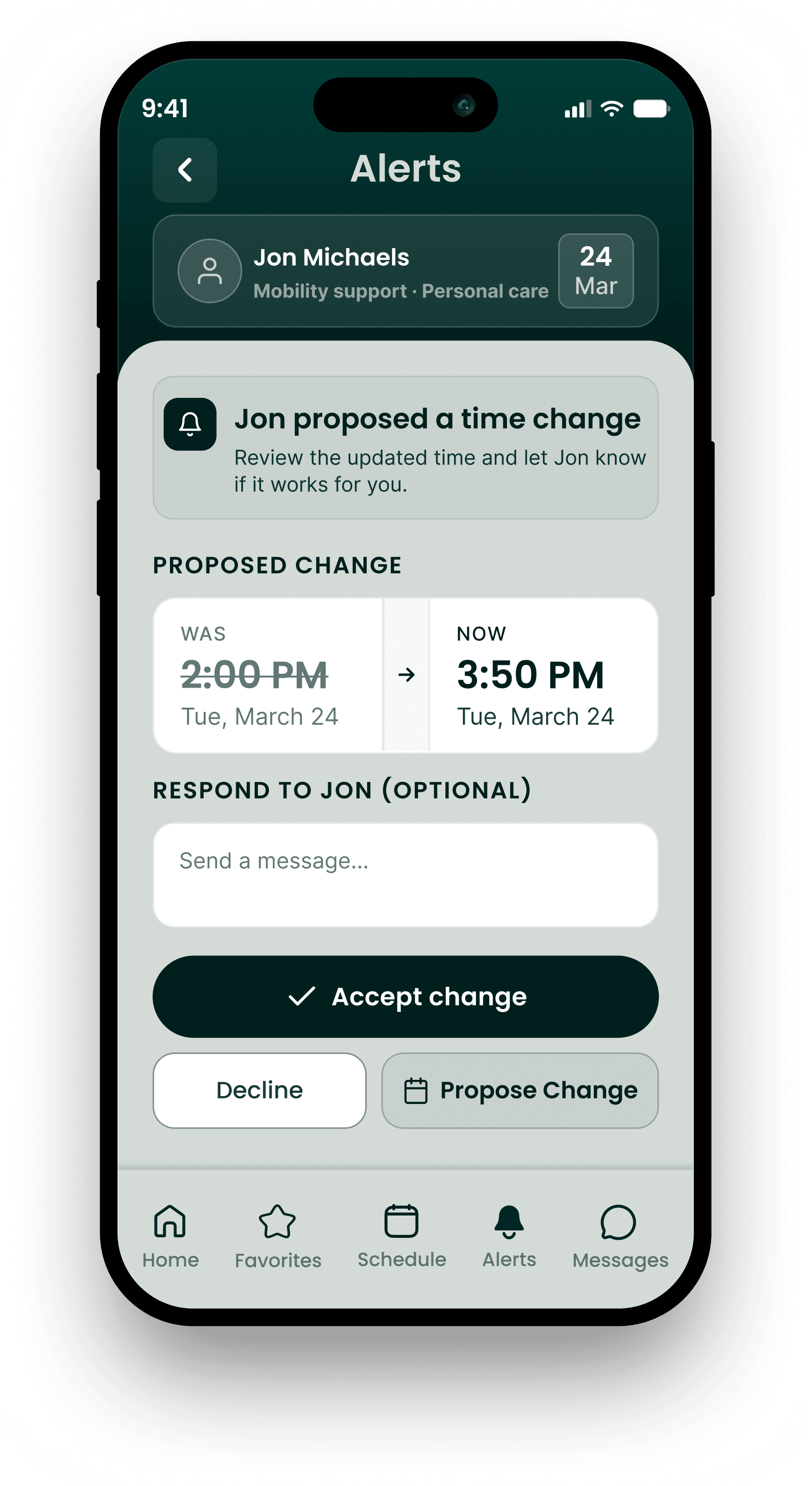
When an attendant proposed a time change for their reservation, the page said "Counter offer." Multiple participants found this confusing... one said it sounded like someone asking for more money, another described it as "adversarial". It was meant to be a re-scheduling tool.
No recollection of established information
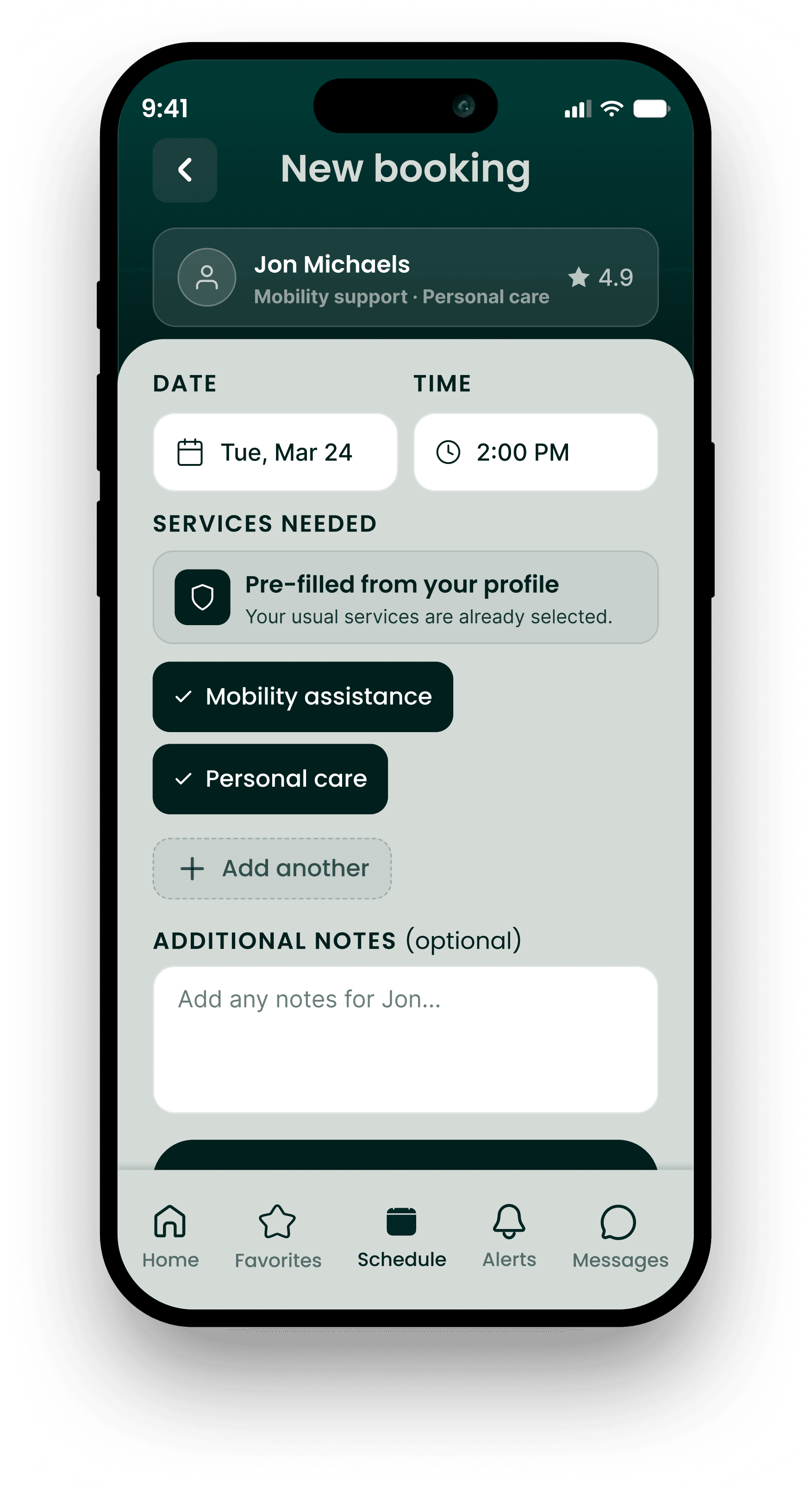
Clients had already entered their care needs during sign-up. When they went to book a session, the app asked again. Several participants expected their details to auto-populate, and the experience of repeating themselves felt like a miss.
Need for more control
Supply-side participants wanted to set a maximum travel radius for requests, and receive reminders for upcoming shifts. Features that seem small but matter a lot for reliability.
WHAT WE REDESIGNED
Before:
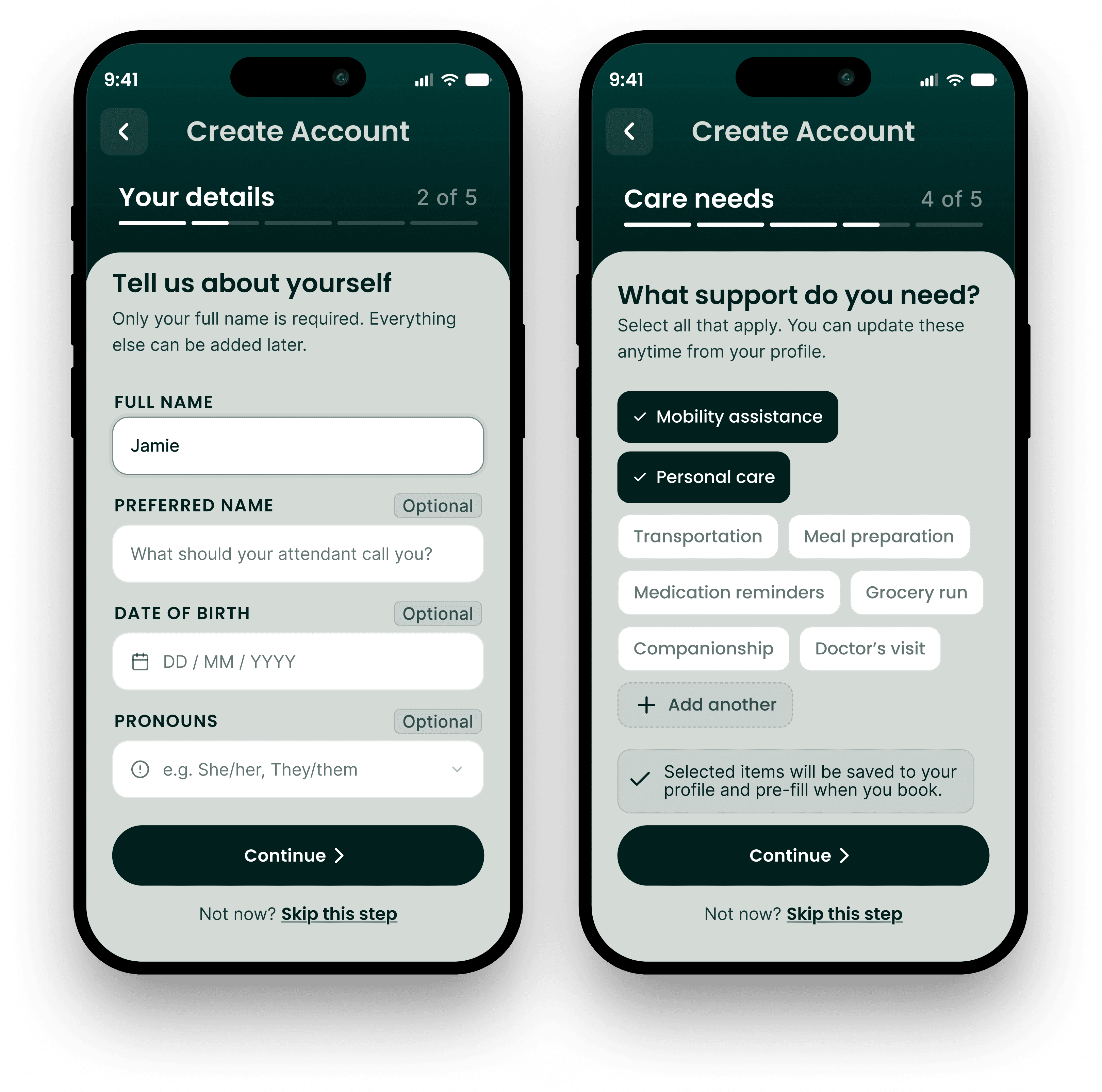
Dense blocks of text, progress indicators that changed style mid-flow, and no indication of which fields were optional. Participants felt lost and overwhelmed before they'd even finished signing up.
After:
A consistent progress bar, clearly labeled optional fields, and content broken into digestible steps made the same information feel manageable.
Before:
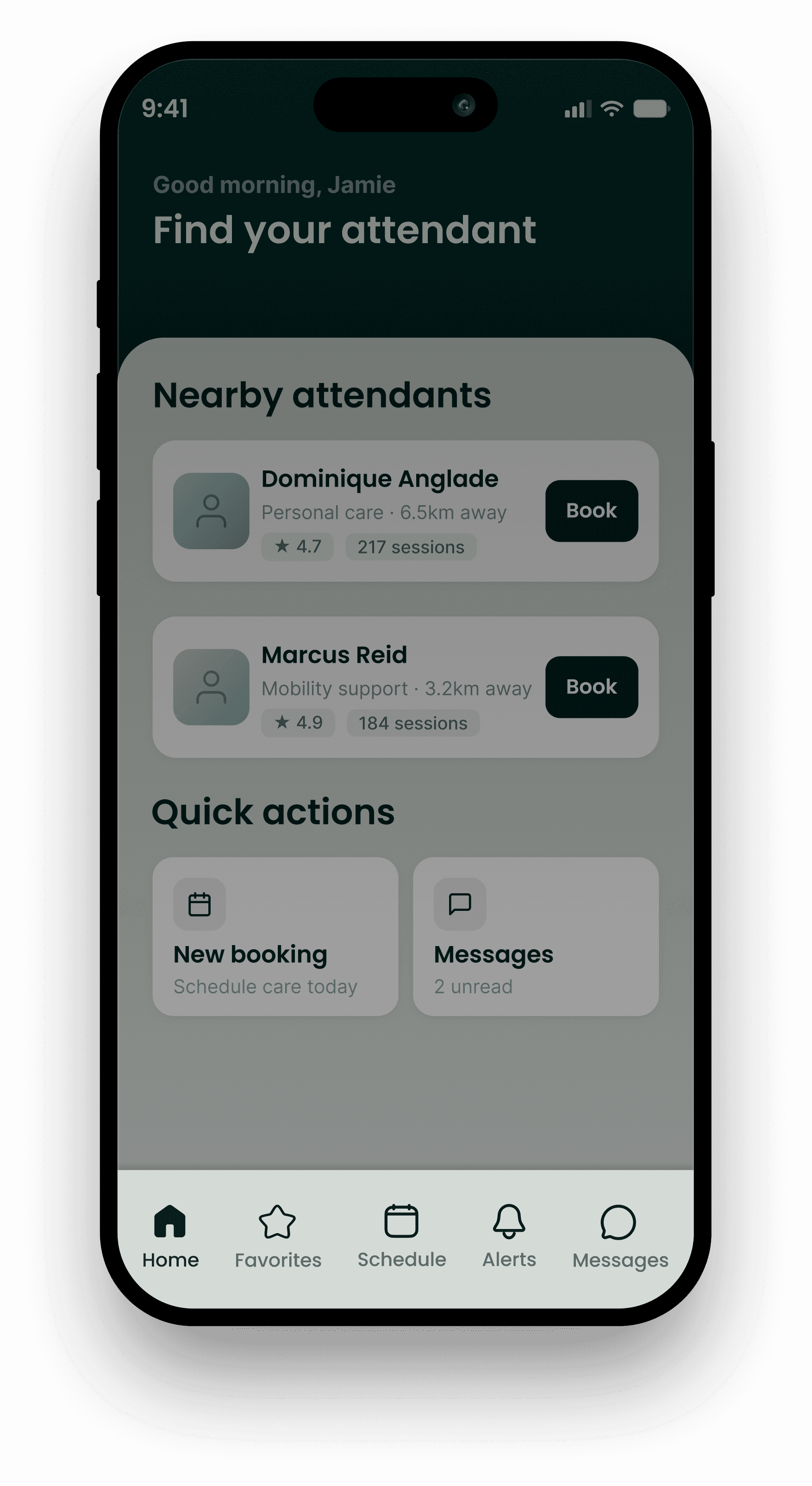
Navigation relied entirely on unlabeled icons… the star meant "Feedback," the chat bubble could mean contact Whimble or a caregiver. Participants had to click to find out.
After:
Every icon in the nav bar got a text label, removing the guesswork entirely and making the app readable at a glance.
Before:
When a caregiver proposed a time change, the button said "Counter Offer"… participants described it as confusing, transactional, even adversarial.
After:
Renamed to "Propose Change" with a clear before/after time comparison on screen, the interaction felt cooperative rather than confrontational.
Before:
Every new booking required clients to manually re-select their care needs… even though they'd already provided all of this during sign-up.
After:
Services pre-populate from the user's profile, with the flexibility to add, remove, or adjust for that specific session.
Before:
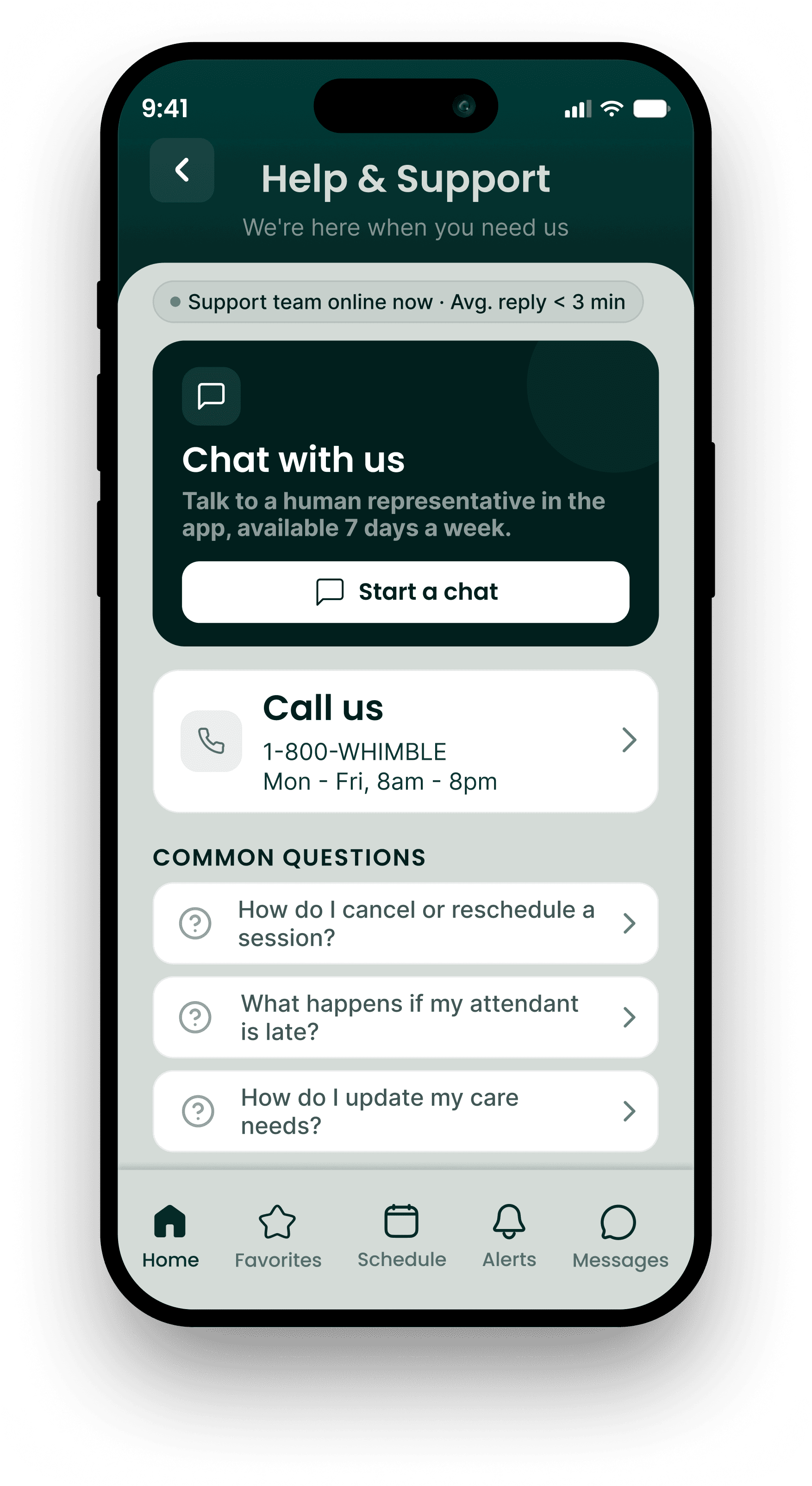
"Having trouble? Call us" sat small and easy to overlook on the landing page… several participants scrolled past it, and there was no chat alternative for those who couldn't or preferred not to use voice calls.
After:
The contact option is more prominent, relabelled for clarity, and a chat alternative sits alongside it. A meaningful change for participants who relied on non-verbal communication.
THE RESULTS
PERSONAL REFLECTIONS
I studied accessibility in architecture before I moved into Product… barrier-free design, universal access, the idea that a building should work for everyone who needs to use it. This project let me apply that thinking in a completely different medium.
What I didn't fully anticipate was how much this project would ask me to hold. Sitting with participants who rely on services like Whimble… who've had to navigate fragmented, unreliable care systems for years, reminded me that UX research isn't just problem-solving. It's being a witness… and that requires care, beyond the session notes.